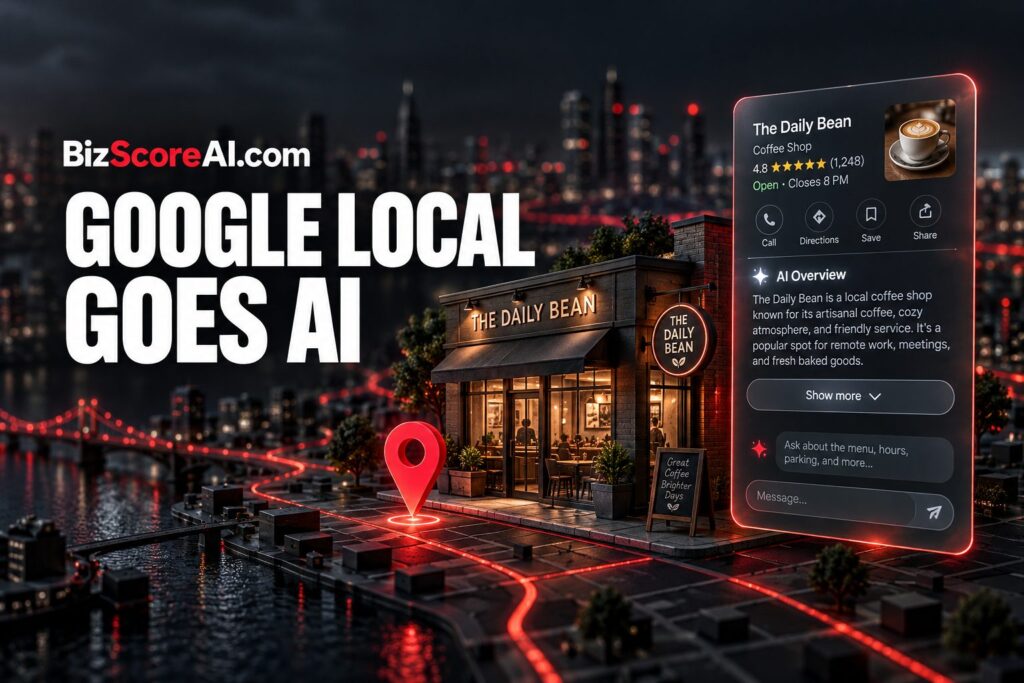
Readers running a Google Business Profile can now see an AI Overview sitting at the top of their local knowledge panel, with a Show more button that drops into an AI Mode style chat. Google has been iterating on this for some time, and the result is that the panel no longer reads as a static summary of the business. It now opens a generative answer about the listing itself, pulling from whatever content Google can find on the web about that company.
What changed in the local knowledge panel
The Google Business Profile panel still shows the usual fields, business name, address, hours, photos, reviews, and so on, but a new header has been added at the top. It is labeled "AI Overview", followed by a "Show more" button. Pressing that button expands the panel into a chat-style interface that resembles Google's AI Mode search results.
In practice this means Google is using the local knowledge panel as a launching point for a generative summary of the business. Instead of a reader seeing only the hours and a map, they now see an AI-written block of text describing what the business does, drawn from across the open web. The interface then invites follow-up questions, turning a static listing into a conversation.
Why Google is pushing AI Overviews into local listings
Google has been rolling AI Overviews into nearly every surface of Search over the last several product cycles, and the local knowledge panel is the latest place to receive the treatment. Local listings are some of the most frequent surfaces a person lands on, especially on mobile, and they are a natural fit for a quick, generated answer rather than a block of structured fields.
For the business itself, that shift changes who controls the first impression. Previously, the panel mirrored what the owner had put into their Google Business Profile. Now the top of the panel is whatever an AI Overview decides to write, which it assembles from third-party pages, old directory entries, and whatever else ranks for the business name. The business profile itself still sits below, but it is no longer the first thing a reader reads.
How accurate is the AI Overview on a business listing?
In one test of the new format, most of the AI's description came out correct, but at least one section was out of date. The AI pulled "niche solutions" language that the underlying company website had not refreshed in some time, and the AI faithfully repeated that stale framing. The same content on the company's own site was outdated, so the AI was simply reflecting what was available to it.
That is the real risk for any business owner: the AI Overview is only as fresh as the web around the business. If the owner's own site carries an old services page, an old press release, or an old directory entry, that older framing is what shows up first. The AI does not know it is describing the present; it knows what it can find.
What a business owner can do about it
Since the AI reads whatever it can find, the play is to control what it finds. That starts with the Google Business Profile itself: keep the business description, categories, and services up to date, and make sure the company's own website has current pages describing what the business actually does today. Older content does not need to be deleted, but it should be updated so the most recent framing is the most findable.
It also helps to check what third-party sites say. Directory listings, old press releases, and industry pages all feed the AI's summary. A quick search for the business name surfaces the same material Google's AI will read, so it is worth knowing what those pages currently say. If a third party has it wrong, the cleanest fix is a fresh, accurate page on the business's own domain that the AI can prefer.
For local businesses that want to see how their own listing looks to AI search, BizScoreAI scores how visible a business is to AI engines and shows what its listing looks like to the systems people ask.
What this looks like inside the panel
At the top of the local knowledge panel, the words "AI Overview" now appear as a header, with the generated text immediately below it. A "Show more" button sits beneath that text, and clicking it expands the view into the AI Mode chat interface, where follow-up questions can be asked. A short demo of the new panel in action was shared publicly once the rollout became visible across more listings.
FAQ
What is the new AI Overview in the Google local knowledge panel?
It is a generated summary at the top of the local knowledge panel on a Google Business Profile. A "Show more" button expands the view into an AI Mode style chat interface where a reader can ask follow-up questions about the business.
Why is Google adding AI Overviews to local business listings?
Google has been pushing AI Overviews into nearly every Search surface, and local panels are some of the most frequently seen results on mobile. The shift puts a generated description of the business above the standard profile fields.
How can a business improve what the AI Overview says about it?
Keep the Google Business Profile description, categories, and services current, refresh the company's own website pages so the most recent framing is the most findable, and check what third-party directories and press pages say about the business so the AI has accurate material to draw from.
Related coverage
- Google’s New AI Search Box, Local Sponsorships and Review ROI – BizScoreAI
- Google’s AI Local 6-Pack: What Local Businesses Need to Know
- Google Business Profiles Local SEO Success Data
Try the business directory

The business directory scores how visible a business is to AI search and shows what its listing looks like to the engines people ask. Open the business directory.
This article summarizes reporting from seroundtable.com. See our editorial disclaimer for how our articles are produced.
Run a free scan to see your AI Visibility Score, SEO rating, and local citation accuracy.