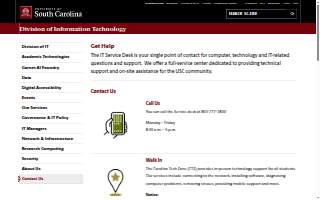
USC IT Service Desk
Contact Information
-
Address
James F. Byrnes Building, 901 Sumter St Suite 119, Columbia, SC 29201, Columbia, SC, 29201 -
Phone
(803) 777-1800 -
Website
sc.edu
Location
About USC IT Service Desk
USC IT Service Desk is a support group in Columbia, SC, serving the University of SC community with comprehensive technology assistance. As the primary point of contact for IT-related inquiries, the service desk provides technical support for computers, network connectivity, software installation, virus removal, and mobile device assistance. It supports students, faculty, and staff across academic, research, and administrative functions through multiple channels, including phone, in-person visits at the Carolina Tech Zone, live chat, and self-service ticketing via the IT Service Portal. The service is available Monday through Friday, with extended hours for chat and walk-in support. With a rating of 2.90 based on eight reviews, the service is recognized for its accessibility and structured support framework.
The IT Service Desk operates as a full-service center within the Division of Information Technology, offering a centralized platform for resolving technology issues. It leverages a robust Knowledge Base with featured, frequently asked questions and step-by-step guides to empower users with self-help resources. The service emphasizes proactive support through tools like multi-factor authentication, secure Wi-Fi access, password assistance, and ongoing IT security awareness. The Carolina Tech Zone, located on the fifth floor of Thomas Cooper Library, serves as a physical hub for in-person assistance, while the IT Service Portal enables real-time chat and ticket submission. These systems reflect a commitment to user-centered design and efficient service delivery.
The service desk is situated in the James F. Byrnes Building at 901 Sumter Street, Suite 119, in downtown Columbia. It lies within close proximity to several historic and cultural landmarks, including the South Caroliniana Library, the South Caroliniana Garden, and the World War Memorial, all within a short walk or less than a quarter-mile distance. The surrounding area features notable memorials and public spaces that reflect the city’s heritage and civic identity.
USC IT Service Desk stands out for its thorough, well-documented online presence and a website that search engines read cleanly, features that enhance accessibility and reliability for users across campus. These strengths ensure that technical support information is consistently available, easy to navigate, and effectively indexed, reinforcing trust in the service’s responsiveness and professionalism.
As a critical component of USC’s digital infrastructure, the IT Service Desk exemplifies how centralized, user-focused technical support enhances the academic and administrative experience in Columbia’s university community.
Services:
- Academic Technologies
- Data Analytics
- IT Governance & Policy
- Research Computing
- Security Services
More Businesses in Columbia, SC
- Stewart Law Offices of ColumbiaBizScore 88
- Keller Williams, The Downing GroupBizScore 87
- George Sink, P.A. Injury Lawyers of ColumbiaBizScore 86
- Goings Law Firm, LLCBizScore 85
- Record Nations of ColumbiaBizScore 85
- Joye Law Firm Injury Lawyers of ColumbiaBizScore 85
- Columbia Metropolitan Convention CenterBizScore 84
- Cola City RoofingBizScore 84
- No Name DeliBizScore 83
- CNT Foundations of ColumbiaBizScore 83
Browse: Businesses in Columbia, SC · Businesses in SC