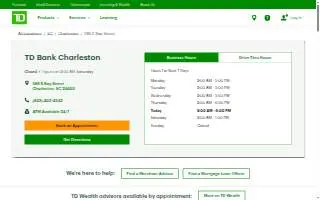
TD Bank of Charleston
 Run a free full audit
Contact Information
-
Address
586 E Bay Street Charleston, SC 29403 USClick to get directions
Charleston, SC 29403 -
Phone
(843) 402-4542 -
Website
locations.td.com -
Facebook page
facebook.com/TDBank -
Google Reviews
3.5 out of 5 stars from 13 Google reviews
Location
About TD Bank of Charleston
TD Bank of Charleston is a bank in Charleston, SC, located at 586 E Bay Street. It holds a rating of 3.50 based on 13 reviews.
The branch offers a range of banking services for individuals and businesses, including checking and savings accounts, mortgages for buying, building, renovating, or refinancing, and small business banking. Customers can access 24/7 ATMs, foreign currency exchange, notary services, and safe deposit boxes. The bank provides multilingual ATM support in English, Spanish, French, Italian, Portuguese, German, Korean, Russian, Simplified Chinese, and Traditional Chinese. For business clients, TD Merchant Solutions offers payment processing for credit and debit cards and contactless payments like Apple Pay and Google Pay. Home Lending Specialists are available to prequalify customers for various mortgage options, while small business specialists provide guidance on financial products. Wealth management services include private banking, credit, investment, and financial planning advice through dedicated relationship managers and financial advisors. The branch operates on extended hours, allowing customers to visit early, late, or on weekends.
TD Bank of Charleston serves the local community on East Bay Street, providing accessible banking solutions and specialized financial services for residents and businesses in Charleston, SC.
Services:
- Checking
- Checking Accounts
- Credit Cards
- Home Equity Loans & Lines
- Mortgage
- Personal Loans
- Savings
- Savings Accounts
Score Summary
BizScoreAI scanned the website locations.td.com on June 13, 2026. TD Bank of Charleston has a BizScore of 64 out of 100. The website audit behind the SEO score ran on October 26, 2026.
- AI Visibility46 out of 100
- SEO77 out of 100
- Google rating3.5 out of 5
AI visibility scan by category: AI Discovery 10 of 25 points, Structured Data 0 of 25 points, Content Readiness 26 of 30 points, AI Trust Signals 10 of 20 points.
Website audit sub-scores (out of 100): On-Page 77, Technical 100, Performance 62, Content 70.
Strengths: 6 checks passed. AI Crawler Access, AI Content Blocking, Q&A Content, AI-Parseable Headings, Meta Description, XML Sitemap.
Areas to improve: 6 checks. llms.txt (failed), FAQPage Schema (failed), Organization Schema (warning), Speakable Schema (warning), About/Team Page (warning), Author Signals (warning).
More Bank in Charleston, SC
- First Bank - CharlestonBizScore 76
- CoinFlip Bitcoin ATM - Wild Side Smoke Shop (Charleston)BizScore 72
- Truist of CharlestonBizScore 67
- Truist FinancialBizScore 67
- FineMark Bank & Trust, a division of Commerce BankBizScore 65
- Bank of America (with Drive-thru ATM)BizScore 64
- First Citizens Bank of CharlestonBizScore 61
- Chase Bank of CharlestonBizScore 60
- Woodforest National Bank of CharlestonBizScore 59
- Regions Bank of CharlestonBizScore 58
Browse: Businesses in Charleston, SC · Bank in SC · Businesses in SC
AI engine reads
Read by AI engines 5 times in the last 30 days.
Counted from AI crawler and assistant visits to this page, identified by user agent.
See the full AI visibility report for this businessContact TD Bank of Charleston
Ways to improve this score
Run a free full auditWe improve your AI Visibility, SEO, and Local SEO scores as far as your current website allows.
Boost This Listing
Get a gold badge, photo gallery, and more.