MUSC James W. Colbert Education Center and Library
 Run a free full audit
Contact Information
-
Address
MUSC Libraries, MSC 403, 171 Ashley Ave Suite 415
Charleston, SC 29425 -
Phone
(843) 792-2381 -
Website
library.musc.edu
Location
About MUSC James W. Colbert Education Center and Library
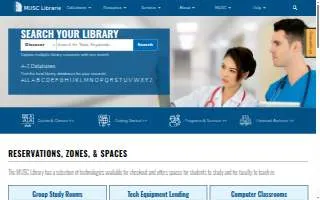
MUSC James W. Colbert Education Center and Library is a medical library in Charleston, SC. The library provides essential research, educational, and clinical support services to students, faculty, and staff. Its offerings include access to various library databases, specialized research guides, and a collection of publications by MUSC faculty, staff, and students dating back to 1993.
The facility serves as a comprehensive academic hub, featuring 34 group study rooms and various study zones, including silent, quiet, and conversation areas. For technical needs, the library provides technology equipment lending, including laptops, tablets, and cameras, and features a Dream Studio equipped with 3D printers, scanners, and laser cutters. Faculty and staff can reserve specialized computer classrooms for workshops, lectures, and presentations. Additionally, the library offers subject specialist liaisons to assist with research impact, evidence synthesis, and scholarly communication, alongside various instructional workshops and tutorials.
Located on Ashley Avenue, the library is situated near the MUSC Health Medical Center and is a short walk from the Waring Historical Library and The Horseshoe.
The library is recognized for its extensive range of specialized academic resources and its commitment to supporting the research and educational needs of the medical community. Through its dedicated subject librarians and diverse technological offerings, it stands as a vital resource for the Charleston medical and academic landscape.
Score Summary
BizScoreAI scanned the website library.musc.edu on May 5, 2026. MUSC James W. Colbert Education Center and Library has a BizScore of 39 out of 100. The website audit behind the SEO score ran on October 22, 2026.
- AI Visibility23 out of 100
- SEO50 out of 100
AI visibility scan by category: AI Discovery 0 of 25 points, Structured Data 0 of 25 points, Content Readiness 16 of 30 points, AI Trust Signals 7 of 20 points.
Website audit sub-scores (out of 100): On-Page 56, Technical 29, Performance 64, Content 50.
Strengths: 3 checks passed. AI Content Blocking, AI-Parseable Headings, About/Team Page.
Areas to improve: 6 checks. llms.txt (failed), Structured Data (failed), Q&A Content (failed), Meta Description (failed), XML Sitemap (warning), Author Signals (warning).
More Businesses in Charleston, SC
- Mako MoversBizScore 92
- Coastal Roofing Co IncBizScore 89
- Undergrads Moving | Movers Charleston SCBizScore 88
- Home Watch MarketingBizScore 88
- Ghost City ToursBizScore 88
- Roden Law of CharlestonBizScore 87
- Trey Harrell Personal Injury & Car Accident LawyerBizScore 87
- Southern Turf Co. Charleston ® Artificial GrassBizScore 87
- Oak Street Health North Charleston Primary Care ClinicBizScore 86
- Insight Global of CharlestonBizScore 86
Browse: Businesses in Charleston, SC · Businesses in SC
AI engine reads
Read by AI engines 1 time in the last 30 days.
Counted from AI crawler and assistant visits to this page, identified by user agent.
See the full AI visibility report for this businessContact MUSC James W. Colbert Education Center and Library
Ways to improve this score
Run a free full auditWe improve your AI Visibility, SEO, and Local SEO scores as far as your current website allows.
Boost This Listing
Get a gold badge, photo gallery, and more.