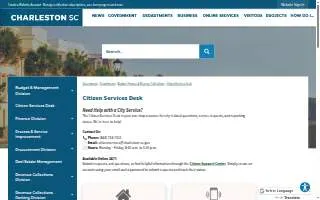
Charleston Citizen Help Desk
 Run a free full audit
Contact Information
-
Address
80 Broad Street
Charleston, SC 29401 -
Phone
(843) 724-7311 -
Website
charleston-sc.gov -
Google Reviews
3.2 out of 5 stars from 5 Google reviews
Location
About Charleston Citizen Help Desk
Charleston Citizen Help Desk is a Government Service in Charleston, SC, located at 80 Broad Street. It serves as a primary resource for city-related questions, service requests, and reporting issues for residents and visitors. The desk handles between 65,000 and 70,000 calls annually. It operates Monday through Friday from 8:30 a.m. to 5:00 p.m. and can be reached by phone at (843) 724-7311 or email at [email protected]. Residents may submit requests and track their status through the online Citizen Support Center, which is available 24/7. Requests are entered into a Customer Request Management system and routed to the appropriate department for investigation and resolution. The desk provides information and assistance for various municipal functions, including building permits, inspections, business licenses, and short-term rental permits. It also assists with special event permits for city parks, facilities, or fields, and provides information on community assistance and Accommodations Tax Grants. For parking, it offers details on city garages, metered and non-metered lots, and residential parking digital permits. Residents can pay parking citations online or in person and may appeal citations by making an appointment with an adjudications officer within 30 days. The desk also supports the Process and Service Improvement Division, which works internally to enhance operational efficiencies and manages the city’s open data program, allowing the public to view and download non-sensitive city datasets. Additionally, it provides resources for environmental services, including the CHS Trashtracker App for collection schedules and reminders. The business holds a rating of 3.20 based on 5 reviews. Charleston Citizen Help Desk connects residents with the practical resources needed to navigate city services and resolve local issues efficiently.
The business is situated on Broad Street in Charleston, SC, just steps from City Hall and The Four Corners of Law. It is also located near the Charleston Post Office and the Charleston County Historic Courthouse Marker.
BizScoreAI awarded the business a perfect 100 out of 100 for Schema & Structure score. This excellent rating confirms that the website uses structured data and clear headings, which helps AI assistants and search engines accurately understand the services offered. The business also received a solid 78 out of 100 for Content score.
Services:
- Ask a question
- Daily and Transient Parking
- Monthly Parking Accounts (currently unavailable)
- Report a problem
- Request a service
- Visitor Parking
Score Summary
BizScoreAI scanned the website charleston-sc.gov on June 13, 2026. Charleston Citizen Help Desk has a BizScore of 60 out of 100. The website audit behind the SEO score ran on October 26, 2026.
- AI Visibility46 out of 100
- SEO73 out of 100
- Google rating3.2 out of 5
AI visibility scan by category: AI Discovery 10 of 25 points, Structured Data 0 of 25 points, Content Readiness 28 of 30 points, AI Trust Signals 8 of 20 points.
Website audit sub-scores (out of 100): On-Page 88, Technical 59, Performance 66, Content 78.
Strengths: 5 checks passed. AI Crawler Access, AI Content Blocking, Q&A Content, AI-Parseable Headings, XML Sitemap.
Areas to improve: 5 checks. llms.txt (failed), Structured Data (failed), Meta Description (warning), About/Team Page (warning), Author Signals (warning).
More Businesses in Charleston, SC
- Mako MoversBizScore 92
- Coastal Roofing Co IncBizScore 89
- Undergrads Moving | Movers Charleston SCBizScore 88
- Home Watch MarketingBizScore 88
- Ghost City ToursBizScore 88
- Roden Law of CharlestonBizScore 87
- Trey Harrell Personal Injury & Car Accident LawyerBizScore 87
- Southern Turf Co. Charleston ® Artificial GrassBizScore 87
- Oak Street Health North Charleston Primary Care ClinicBizScore 86
- Insight Global of CharlestonBizScore 86
Browse: Businesses in Charleston, SC · Businesses in SC
AI engine reads
Read by AI engines 1 time in the last 30 days.
Counted from AI crawler and assistant visits to this page, identified by user agent.
See the full AI visibility report for this businessContact Charleston Citizen Help Desk
Ways to improve this score
Run a free full auditWe improve your AI Visibility, SEO, and Local SEO scores as far as your current website allows.
Boost This Listing
Get a gold badge, photo gallery, and more.